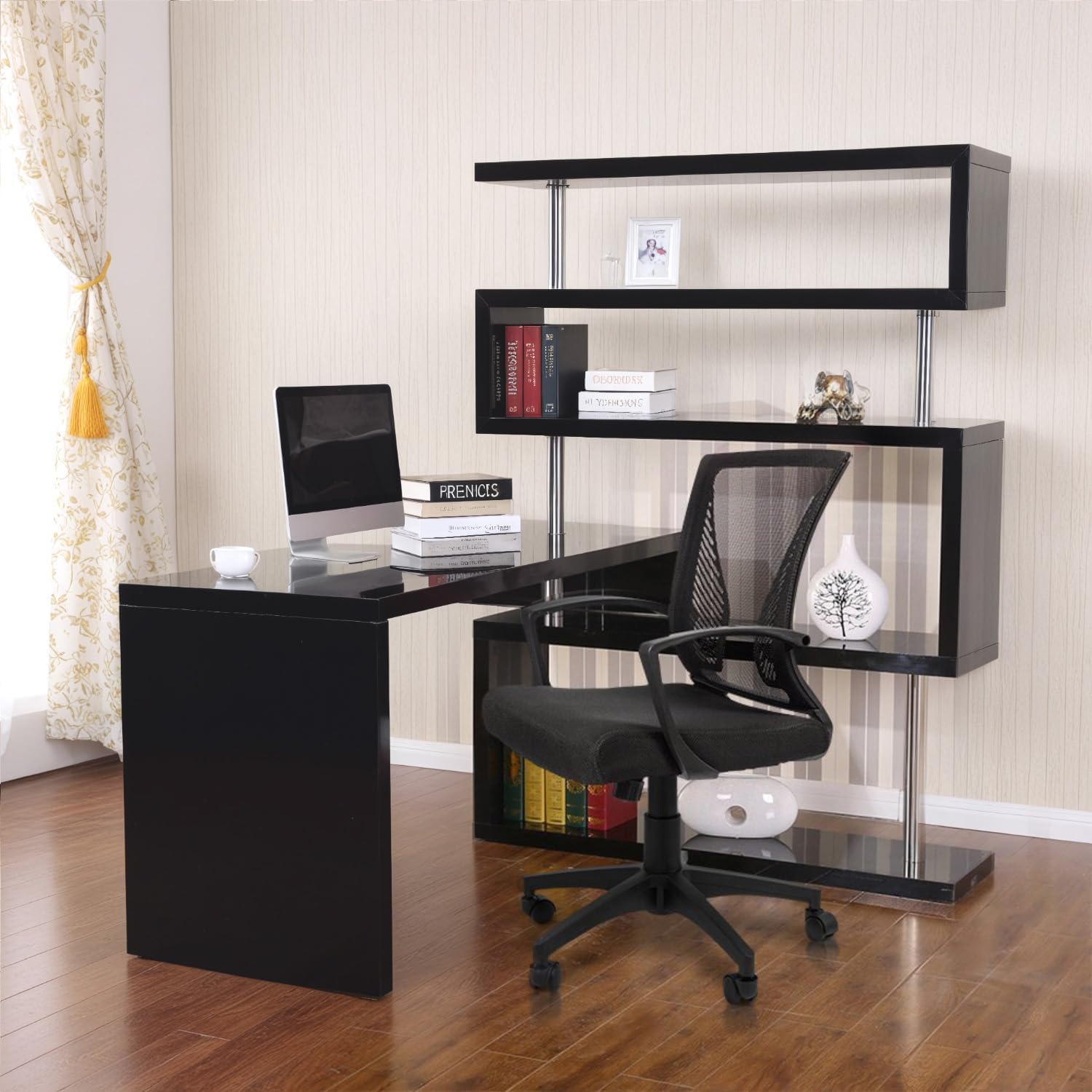
How to Pick an Ergonomic Office Chair Under $35: Lumbar Support That Actually Works
If you're working from home and spending eight hours a day slouched in a creaky chair, your back is probably sending you pretty clear messages. The good news? You don't need to drop $500 on an ergonomic office chair to get real lumbar support and comfort. In fact, some of the best budget-friendly options deliver surprisingly solid support for under $35—you just need to know what to look for.
Let's break down the features that actually matter, so you can stop guessing and start sitting better.
What Does Lumbar Support Actually Mean?
Lumbar support is the backbone of any ergonomic chair (pun intended). Your lumbar spine is the lower part of your back, right where it naturally curves inward. When you sit without proper support, that curve collapses, and your spine rounds forward—which is exactly when back pain starts creeping in.
Real lumbar support means the chair has a curved section that fits snugly into your lower back, maintaining that natural inward curve and taking pressure off your discs. It's not just a vague "cushion" in the back—it's a strategic design feature that keeps your spine in neutral alignment.
The tricky part? Just because a chair is marketed as "ergonomic" doesn't mean it has effective lumbar support. You need to actually evaluate the chair's structure.
The 5 Features to Check Before You Buy
1. Adjustable Seat Height (Non-Negotiable)
Your feet need to sit flat on the floor with your knees at a 90-degree angle. If the chair is too high or too low, your legs and lower back will compensate, and you'll end up tensing muscles all day. Look for chairs with hydraulic lift mechanisms that let you adjust height easily—this is one feature you shouldn't skip, even on a budget.
2. Built-In Lumbar Curve, Not Just Padding
The difference between a cheap office chair and a budget ergonomic chair is in the backrest structure. A proper ergonomic chair has a pronounced curve molded into the back, not just soft cushioning. Run your hand along the backrest—you should feel a distinct inward curve at the lower back. If it's flat or slightly curved, keep looking.
3. Seat Depth and Width That Fit Your Frame
Your thighs should have about three fingers' worth of space between the seat edge and the back of your knees. If the seat is too deep, it'll press into your leg nerves. Too shallow, and you won't have enough support. Check the measurements before buying, especially if you're ordering online.
4. Backrest Recline (Even Basic Tilt Helps)
You don't need fancy infinite recline, but the ability to tilt back slightly is genuinely helpful. Reclining slightly shifts pressure off your lower back during focused work and gives you relief during longer sessions. Even a basic 15–20 degree recline makes a noticeable difference.
5. Breathable Mesh or Fabric (Bonus for Hot Climates)
If you're in a warm space, mesh backing prevents heat buildup and keeps you from getting sweaty during long workdays. Solid backing works fine too, but mesh is worth seeking out if it's available in your budget range.
What You Can Skip at This Price Point
Not everything a $400 office chair has is necessary. You can absolutely skip:
- Armrests with adjustable height and angle — Fixed armrests work fine if they're positioned correctly, and many budget chairs don't have them at all (which is fine if your desk height is right)
- Headrest — This is luxury, not necessity. A good chair backrest should support your upper back without needing a dedicated headrest
- Lumbar support adjustment — Built-in lumbar curves are better than adjustable lumbar pillows, which often slip and lose effectiveness
- Premium casters or wheels — Standard wheels work; just avoid squeaky ones
Real Budget Picks That Deliver
Here's what actually works in the sub-$35 range: Look for mesh-back office chairs from mainstream retailers with reviewers specifically mentioning lumbar support, adjustable height, and durability. Read the reviews carefully—search for keywords like "lower back support," "good for long hours," and "better than expected." Avoid anything where people mention flat backs, poor height adjustment, or back pain.
One solid example is a basic mesh task chair with a pronounced curved backrest and pneumatic height adjustment. These typically run $25–$35 and have solid owner reviews for home office use. The key is that backrest curve—it's doing the heavy lifting for your lumbar spine.
Pro Setup Tips to Maximize Your Chair's Support
Even the best budget chair needs proper placement to work:
- Desk height matters — Your elbows should be at 90 degrees when typing. If your desk is too high or low, your chair adjustment can't fix it
- Monitor position — Place your screen at eye level, about arm's length away. This prevents forward head posture, which loads your lumbar spine
- Take movement breaks — Stand and stretch every 30–60 minutes. No chair, even an expensive one, is meant for 8 hours of continuous sitting
- Use a small pillow for extra support — If your budget chair's lumbar curve doesn't feel quite right at first, a small lumbar pillow (around $10–$15) can bridge the gap while you adjust
The Bottom Line
Spending $35 instead of $300 on an office chair doesn't mean sacrificing lumbar support—it just means being intentional about which features actually matter. Focus on adjustable height, a real lumbar curve, and proper seat dimensions, and you'll find a chair that genuinely supports your back without the markup.
Your spine will thank you, and your bank account will too. Start by checking the specs and reading reviews from people who've actually used the chair for remote work, and you'll land on something that feels premium even at a fraction of the price.